React Native Architecture Decisions That Become Expensive Later
The React Native choices that quietly determine how your team builds, releases, and recovers for years — and where EAS actually helps.
By Green Platform Solutions
• 33 min read
The React Native choices that quietly determine how your team builds, releases, and recovers for years — and where EAS actually helps.
By Green Platform Solutions
In this illustrative scenario, a production bug is found on Friday at 9:00 AM.
The fix is a one-line JavaScript change. It's reviewed, merged, and ready by 9:20.
Users may not get it until Wednesday, depending on store review and rollout timing.
We've been in that meeting.
We've also been in the other one: a production issue is identified at 9:00, fixed and verified before 9:30, and made available to a rollout cohort. Delivery still depends on connectivity and the app's update-check or relaunch behaviour.
Same kind of bug. Same kind of team.
The difference wasn't the code. It was the release architecture.
Same bug. Same team. Two release architectures.
Only the release path differs. The fix, the developer, and the codebase are identical.
We build production mobile applications at Green Platform Solutions, and we've learned that the most expensive React Native decisions aren't necessarily the ones that affect today's feature. They're the ones that determine how difficult the application will be to build, release, and recover six months later.
EAS doesn't solve all of those problems. But where the team chooses to use it, it can remove a significant amount of infrastructure from the critical path.
This article is about recognizing those decisions early — before they become expensive constraints.
The first major React Native decision is often framed as Expo vs. bare React Native. That framing is outdated.
The better question is: how much native infrastructure does your team want to own?
Owning it directly means maintaining Xcode settings and provisioning, Gradle configuration, CocoaPods, native dependencies, and their compatibility with your React Native version.
For some products, that's necessary: custom video pipelines, proprietary hardware, low-level audio, or deep OS integrations.
For others, Expo's tooling removes much of that maintenance. Development builds, config plugins, prebuild, and the Expo SDK let you use custom native code without manually maintaining every native project change.
The question isn't "could we need native control?" It's "if we own this layer, what do we stop building to maintain it?"
The common failure is taking on native ownership for optionality the team never uses. The opposite failure is equally real: relying on managed tooling when the product genuinely needs native control.
Navigation looks simple with three screens. It gets harder with nested stacks, modals, deep links, push notifications, and auth redirects.
The same applies to state. Local state is often the right starting point. The problem is adding global state reactively until values are scattered across Redux, Context, and components with no clear ownership model.
These decisions are cheap early and expensive to restructure later.
Adding a library feels harmless: storage, animations, permissions, media, analytics.
But in React Native, many dependencies aren't just JavaScript. Native dependencies become part of the iOS and Android build graph — and therefore part of your Xcode, Gradle, CocoaPods, and React Native compatibility surface.
Every native dependency is also a build-system dependency.
The goal isn't the fewest dependencies. It's fewer dependencies you later have to fight.
The common mistake isn't choosing the wrong tool. It's postponing the decision until changing it becomes expensive.
Fetch calls inside components. They work, the data arrives, and the feature ships.
The same endpoint is used by several screens, each handling loading, errors, authentication, and retries differently.
A dedicated API layer gives you one place for network calls, authentication, error handling, caching, and retries.
Hours to build early. Weeks to retrofit across forty screens.
A login screen that stores a token — which is the right place to start.
Token expiry, refresh, multiple user roles, and auth-driven navigation arrive later.
For sensitive credentials, use platform-backed secure storage such as expo-secure-store rather than treating AsyncStorage as secure storage.
One hardcoded API URL, because there is only one environment.
Staging appears, followed by environment-specific API keys, feature flags, logging, and credentials.
EAS gives you a cleaner separation:
| Concern | Where it lives |
|---|---|
| Build settings | eas.json profiles |
| Secrets and variables | EAS environment variables (outside repository); client-bundled values are public |
| App configuration | app.json (consuming variables) |
One particularly useful choice is giving staging and production different bundle identifiers. Both builds can then coexist on the same device instead of one overwriting the other.
Something to add after gaining users.
A production crash happens and the team has no stack trace, device context, or performance data.
Crash reporting turns “the app crashed” into actionable information. Performance monitoring reveals problems that may only appear on devices your team doesn't use.
The cost of adding observability late is the blindness that already happened.
Teams treat releases as operations — adjacent to engineering rather than part of it. In mobile, that's wrong. How code reaches users constrains how a team can work.
Three EAS services cover three distinct stages, and the mental model is worth keeping:
Three Services. Three Stages. One Continuous Model.
Creates the native binary in Expo's cloud infrastructure from your repository and build profiles.
Automates store delivery to App Store Connect and Google Play using stored secure credentials.
Delivers compatible JavaScript bundles and assets to active binaries without review cycles.
Build and Submit govern the native binary shell. EAS Update creates a fast, independent second highway for the JavaScript layer.
Producing a production iOS build used to be a ritual: the right Mac, matching Xcode version, correct provisioning profiles, and a matching CocoaPods environment. EAS Build moves compilation to Expo's cloud infrastructure, reducing build-infrastructure maintenance. The team still owns native configuration, dependencies, compatibility, and credentials. Windows developers can produce iOS builds, and new engineers ship code on day one without local toolchain struggles.
A release without automation is a person following remembered steps. Bump version, confirm branch, build locally, open App Store Connect, upload, enter notes, repeat for Google Play. eas submit uploads finished builds directly using stored credentials, transforming store distribution from a fragile manual ritual into a reproducible pipeline.
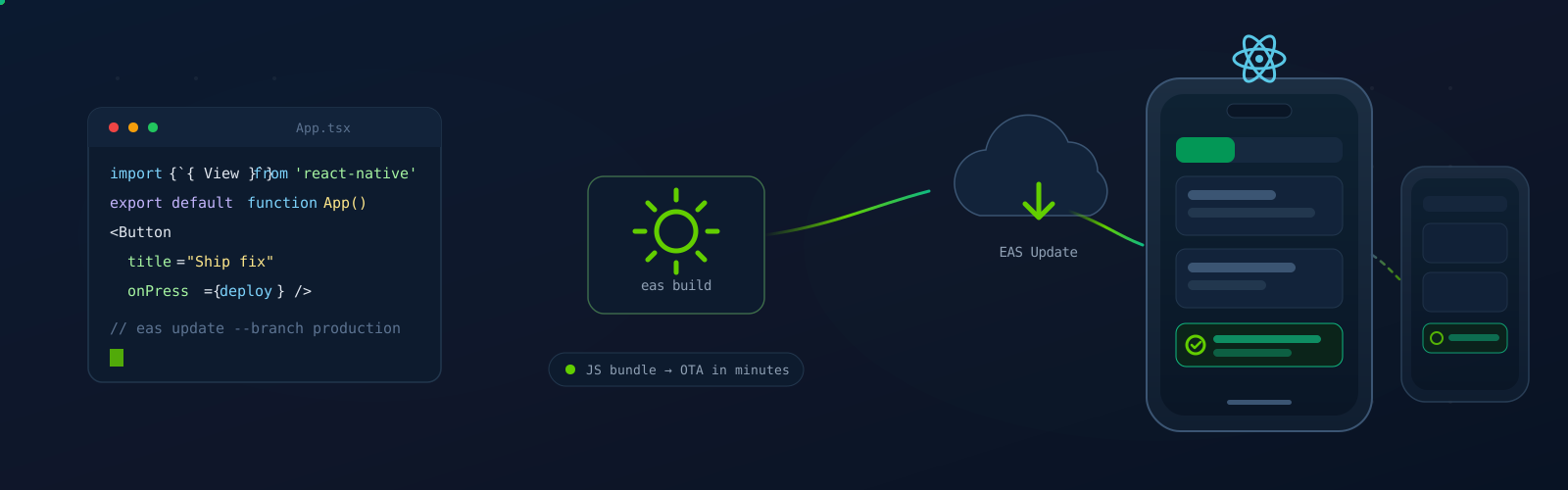
A React Native app is two layers: a native binary, and a JavaScript bundle with its assets. The stores control distribution of the native binary. EAS Update distributes compatible JavaScript and assets to installed builds; native changes require a new binary.
EAS Update does not replace app-store releases. It creates a second release path for changes that are compatible with the installed native runtime.
One bundle. Compatible installed binaries on the configured channel and branch can receive it.
The native binary stays where it is. Only compatible JavaScript and assets move — for installed builds on the configured channel and branch; native changes require a new binary.
How an Update Reaches a Device — The Five Controls
Runtime versioning helps enforce compatibility. Staged rollouts and rollback reduce exposure, but recovery is not instant on every device and persistent-data changes can make rollback unsafe.
1. Runtime version — the compatibility contract.
Every build declares a runtimeVersion describing the JS-to-native interface it contains. An update is delivered only when runtime version and platform match exactly. Using the fingerprint runtime version policy derives this value directly from the native project, changing automatically whenever native code changes and reducing the chance of runtime mismatch crashes, though compatibility still depends on platform and configuration.
2. Channel — what a build points at.
Baked into the binary at build time via its eas.json profile (e.g., production, preview, staging). A binary points at exactly one channel.
3. Branch — the ordered list of updates.
A channel maps a build to a branch. You can repoint the channel's branch mapping without rebuilding binaries, subject to compatibility.
4. Rollout — who gets it first.
Updates can be served to a percentage of devices requesting it. Publish, expose to a fraction of traffic, monitor error rates, then widen.
5. Rollback — how you recover.
eas update:republish restores a previous update from branch history. If the update mechanism itself is compromised, rolling back to the bundle embedded in the binary returns clients to known-good state. The update path can avoid a new store review, but rollback is not immediate on every device and persistent-data changes can make it unsafe.
When every change requires a review cycle, cadence drops, releases become high-stakes, and teams add heavy process to compensate. When correction is cheap, that pressure releases. The real value isn't deployment speed. It's that the cost of being wrong drops far enough to change how the team behaves.
Having built and maintained several of these applications, some decisions we now make without debating:
Yes. Expo runs in production across major enterprises. Its SDK covers the native capabilities most production apps need, and development builds provide a supported path to custom native code whenever requirements call for it.
Frame it as ownership rather than capability. Teams with dedicated native engineers and genuine low-level hardware requirements may maintain their native projects directly. Teams building product features usually find that owning Xcode configuration and Gradle builds is an overhead without a matching benefit.
| Service | What it does | When you need it |
|---|---|---|
| EAS Build | Creates native iOS and Android binaries in the cloud | Any change to native code, dependencies, or app configuration |
| EAS Submit | Delivers binaries to App Store Connect and Google Play | Every store release |
| EAS Update | Delivers compatible JS and assets to installed binaries | Fixes and features that don't touch the native layer |
Before the first production release. Setting it up early avoids the high-pressure deadline crunch of building pipelines during an incident.
The goal was never to make every decision correctly at the start. The goal is narrower: recognize which decisions are expensive to reverse, make those deliberately, and choose infrastructure that leaves the rest open.
EAS Build reduces the build-infrastructure stack your team maintains, while the team still owns native configuration, dependencies, and compatibility. EAS Submit removes the manual ritual from releases. EAS Update creates a second release path for changes that fit the installed runtime — and lowers the cost of being wrong enough to change how a team operates.
None of that substitutes for engineering judgment. It just means the judgment goes toward decisions that actually require it.
Last updated: September 2026
Get expert guidance on implementing AI solutions that actually work. Our team will help you design, build, and deploy custom automation tailored to your business needs.

A developer's guide to the most widely used software development frameworks in 2026—covering Laravel, React, React Native, Xcode Swift, Android Studio, and .NET, with use cases, strengths, and how to choose the right one.

Not every mobile app needs AI. Priya Gaudani shares a practical framework for deciding when it improves the user experience—and when traditional engineering is the better choice.